DROPWEBS
Review Manager

Every unanswered review is a customer watching you ignore them.

Review Manager pulls your real Google reviews, shows you exactly which ones have no reply, and drafts a response in the reviewer's own language that you edit and publish without leaving the page.

The problem

Replying to reviews is simple work that never gets done.

It is not hard to answer a Google review. It is hard to answer ninety of them, across four locations, in three languages, while running the business. So the tab stays open, the backlog grows, and the profile that customers actually read starts looking abandoned.

Google's own interface gives you no queue, no filter for unanswered, and no way to work in bulk.

Copy-pasting the same thank-you across thirty reviews reads exactly like what it is.

Reviews in a language you do not speak get skipped entirely.

Nobody on the team knows which reviews were already handled.

What Dropwebs does: Review Manager retrieves your real Google reviews for a location, finds unanswered ones, drafts replies you can edit, then publishes them back to Google through the official API.

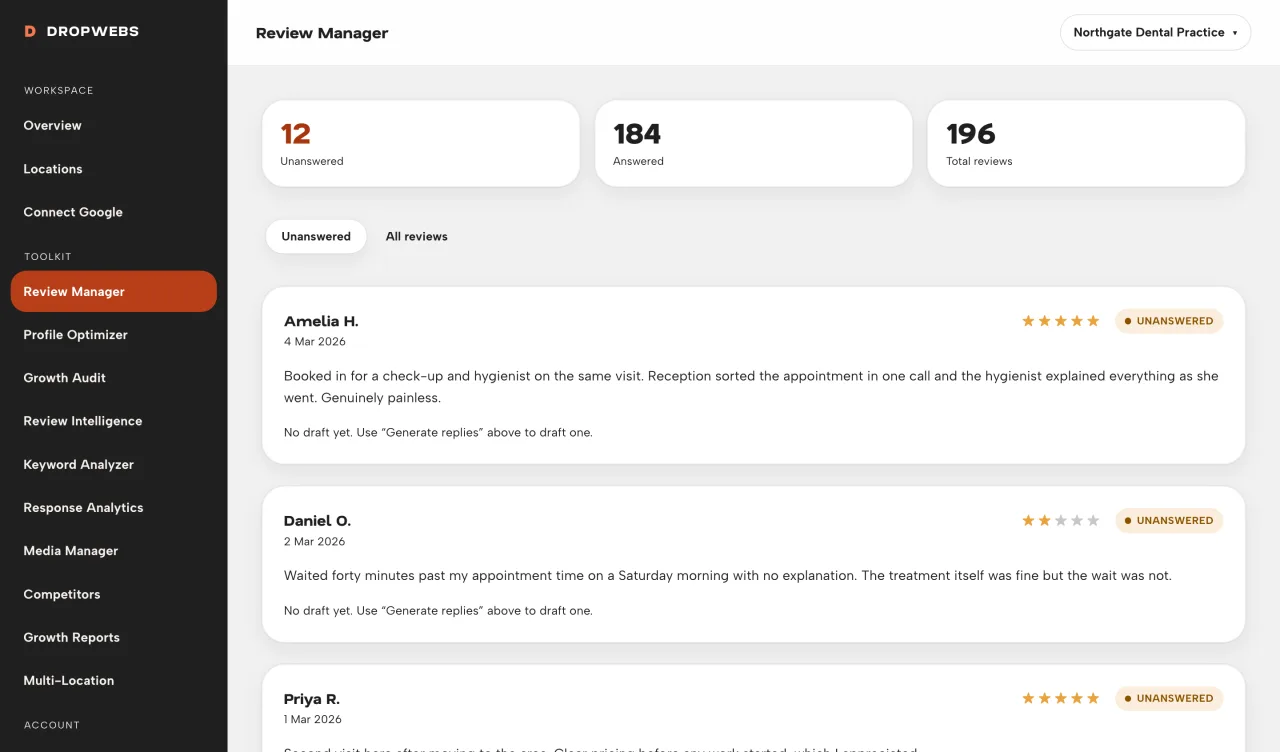
Dropwebs Review Manager showing a queue of unanswered Google reviews with star ratings and reviewer names

The queue

See what actually needs you.

Dropwebs syncs your reviews from Google and sorts them by what is missing a reply. Answered reviews drop out of the queue automatically, so the list in front of you is only the work that is left. Filter by rating when you want to handle the one-stars first.
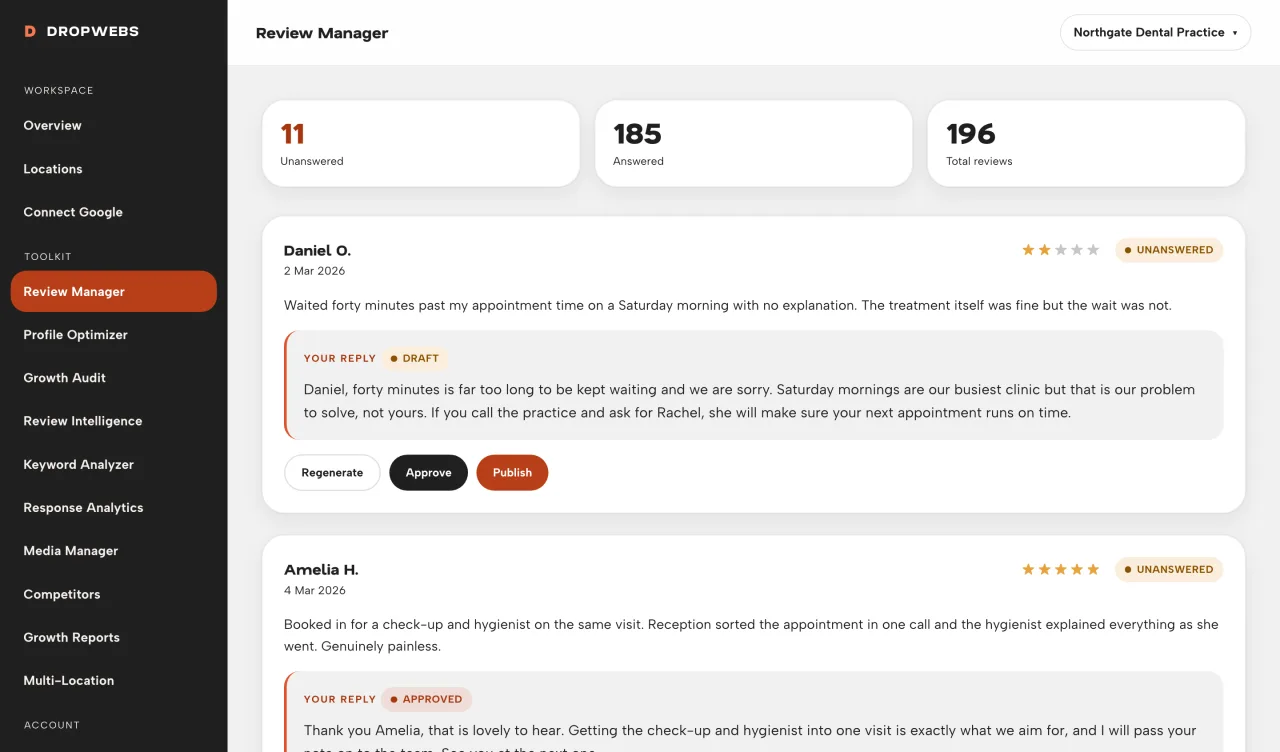
A generated review reply draft in Dropwebs with edit, approve and publish controls

Drafting

A reply that sounds like a person wrote it.

Each draft is built from the actual review: what they praised, what went wrong, the star rating, your business name and the services you offer. Five stars gets warmth. One star gets a real apology and an offer to fix it, never an excuse. No template, no filler, no mention of AI.

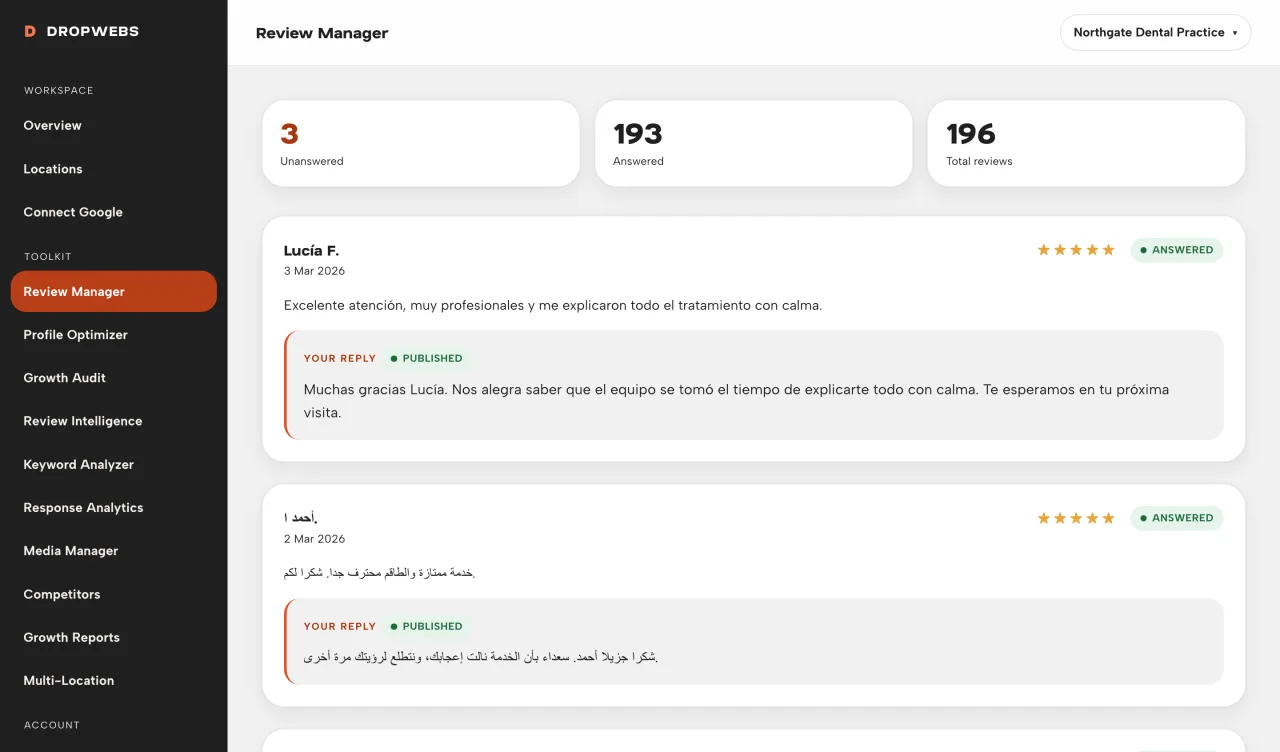
Dropwebs replying to reviews written in Spanish, Arabic and Roman Urdu in each original language

Language

Answers in the language they wrote in.

A Spanish review gets a Spanish reply. Arabic script stays Arabic script. Roman Urdu stays Roman Urdu instead of being converted. Detection runs on the review text itself, so you can answer customers you could not answer before without translating anything by hand.

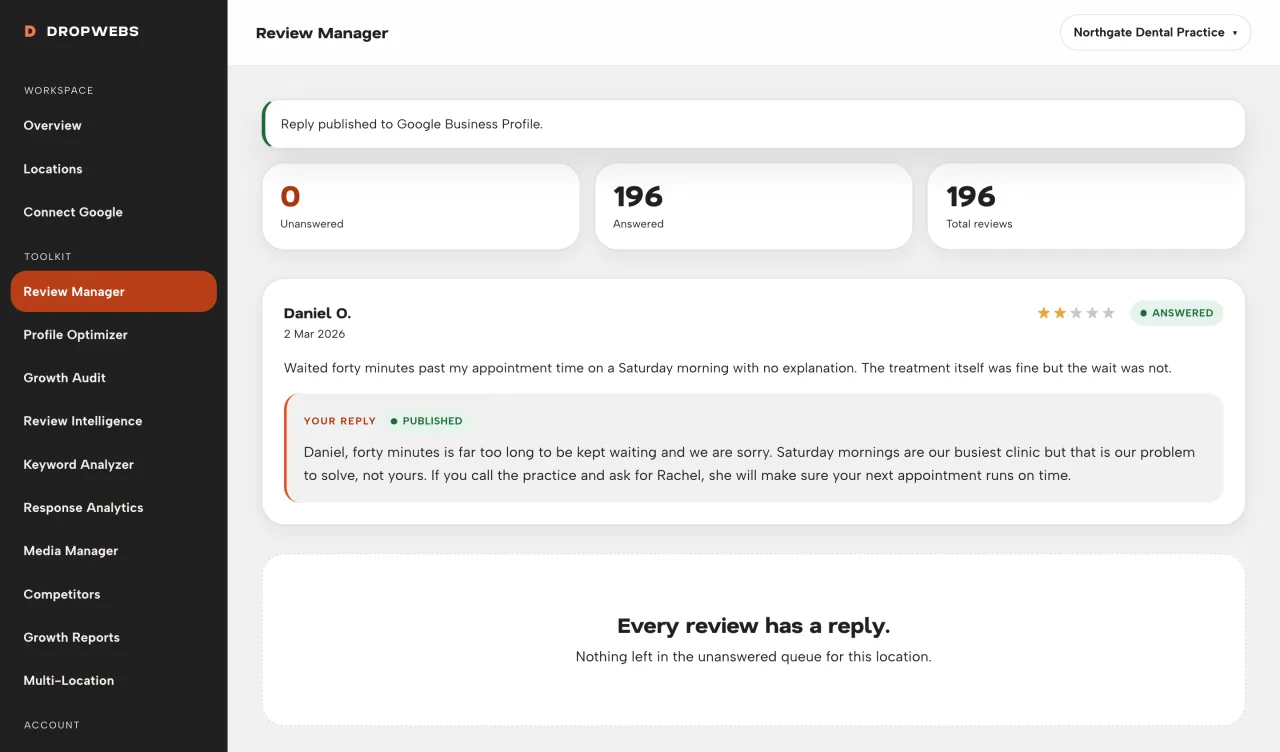
Publish confirmation in Dropwebs Review Manager showing a reply posted to Google

Publishing

Nothing goes live until you say so.

Every draft waits for you. Edit the wording, approve it, then publish. Dropwebs posts through Google's official reply endpoint and marks the review answered. Publish twice and the second attempt is refused, so a slow connection can never double-post.

How it works

From connection to result.

01

Step 1

Connect Google Business Profile and select a location.

02

Step 2

Sync reviews from Google.

03

Step 3

Choose unanswered reviews (already answered ones are skipped).

04

Step 4

Generate drafts - max 15 per batch - then edit, approve, and publish.

What it gives back

The backlog stops being a project.

Batch, not one-by-one

Draft up to fifteen replies in a single run instead of opening fifteen browser tabs.

No duplicate work

Answered reviews are skipped by default, so two people can work the same location safely.

No blank page

You start from a draft that already read the review, not from an empty box.

A record of what happened

Every publish is logged with a timestamp, so you can prove a review was answered.

How to use it

Your first run, step by step.

01

Step 1

Connect Google and pick the location you want to manage.

02

Step 2

Click Sync reviews so Dropwebs loads the latest Google reviews.

03

Step 3

Filter to unanswered reviews. Answered reviews are never regenerated by default.

04

Step 4

Choose a batch size of 1, 5, 10, or 15 (maximum 15).

05

Step 5

Generate replies, read each draft, edit tone or facts, then Approve and Publish.

06

Step 6

If publish fails, renew Google access and try again - we never invent a successful publish.

Limitations

What this tool cannot do.

Dropwebs can only read and reply to reviews for locations your connected Google account manages.

Google does not expose a delete-review endpoint. Removing a review is a Google policy process, not a Dropwebs feature.

Reply timestamps come from Google. Where Google omits one, response time is shown as unavailable rather than estimated.

Questions

Straight answers about review manager.

What it does, what it will not do, and where the data comes from.

Will this change Google rankings?

No. Publishing replies helps customer communication. Dropwebs never claims ranking guarantees.

Can I edit before publishing?

Yes. Always review drafts. You stay in control of what goes live.

What is the batch limit?

15 reviews per generation run. Larger workloads should be run in multiple batches or via background jobs.

Does the reply say it was written by AI?

No. Drafts never mention AI, models, or automation, and the sanitizer strips those phrases if a provider produces them. The reply is published under your business name, as your words, after you approve it.

What happens to reviews with no written comment?

A star-only review still gets a short, warm acknowledgement matched to the rating. Dropwebs will not invent a detail the customer never mentioned.

Can two people on my team work the same location?

Yes. Once a review is answered it leaves the unanswered queue for everyone, and a second publish attempt on the same review is rejected.

Get started

Try Review Manager on your own profile.

Free plan, no card. Connect Google and this tool has real data to work with in about a minute.

How to use it

Operator guide for Review Manager.

Workspace steps and real screens. This is a how-to, not a second overview of the tool.

Open the guide