 DROPWEBS
 DROPWEBS
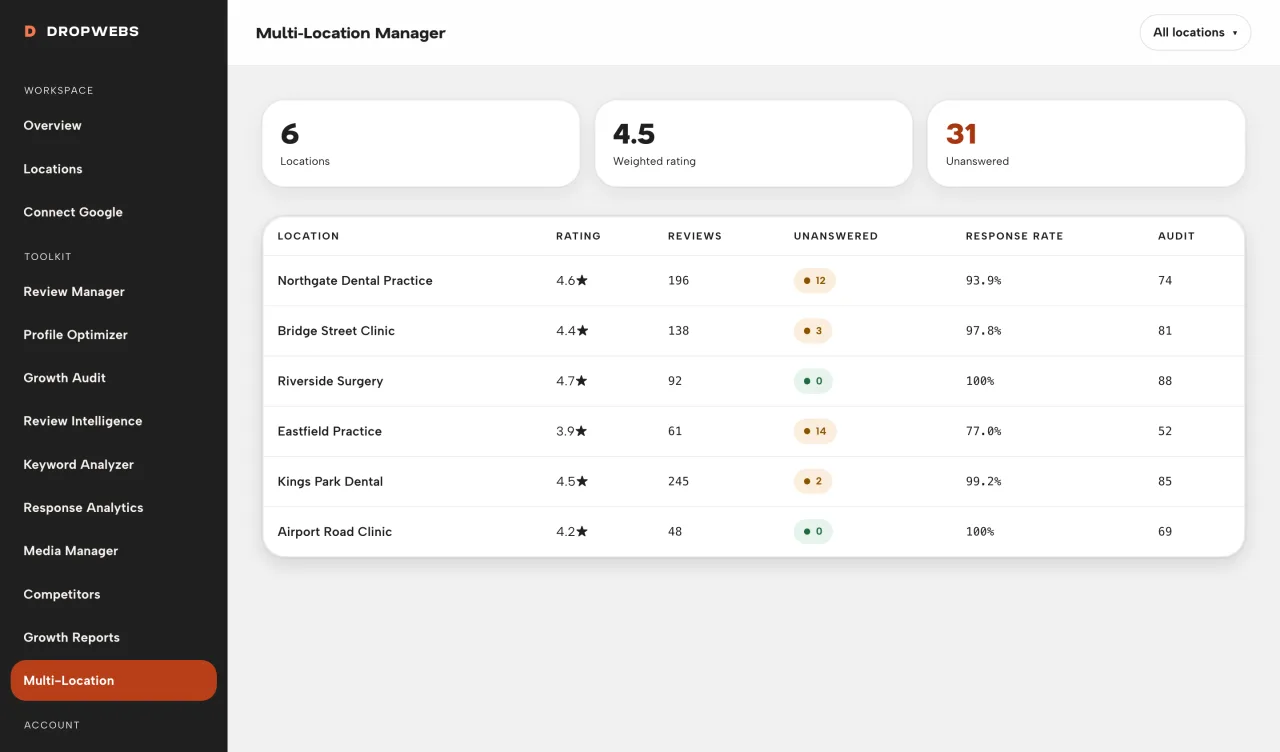
The board
Every location, one row each.
Rating, review count, unanswered, response rate and audit score for each connected location. One screen, sortable, so the branch with forty unanswered reviews stops hiding behind the nine that are fine.
Multi-Location Manager puts every connected location side by side with correctly weighted ratings and correctly aggregated response rates, so you can see which branch needs attention this week.
Agencies and multi-site brands live with the same routine: open each profile, note the rating, count the unanswered, close it, repeat. By the time you reach the tenth you have forgotten the second, and nothing on screen tells you which branch is actually the problem.
No single view means no sense of relative performance.
Averaging ten location ratings equally is arithmetically wrong when volumes differ.
A struggling branch hides inside a healthy group average.
Data leaking between locations produces reports that are quietly incorrect.
What Dropwebs does: Multi-Location Manager lists your selected locations with status, rating, reviews, unanswered counts, response rate, and audit score.
The board
Rating, review count, unanswered, response rate and audit score for each connected location. One screen, sortable, so the branch with forty unanswered reviews stops hiding behind the nine that are fine.
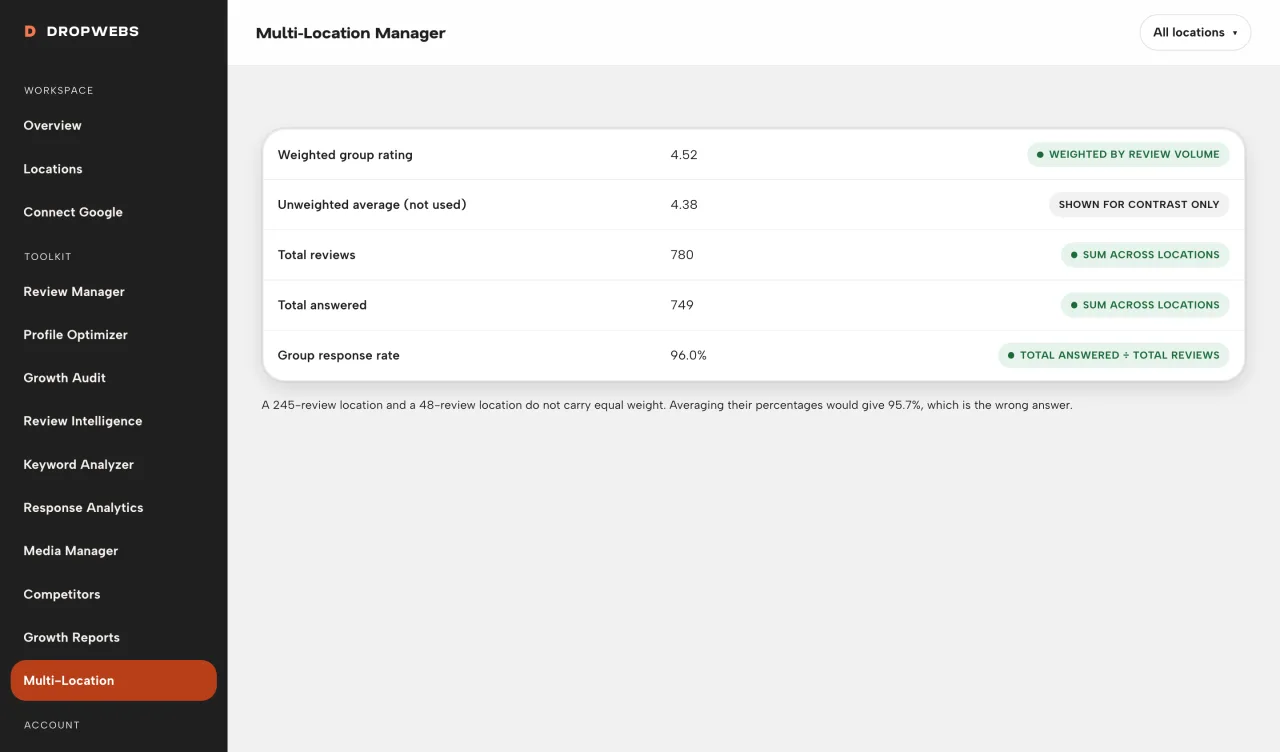
Correct maths
A branch with 400 reviews and one with 8 do not carry the same weight. Group ratings are weighted by review volume and group response rate is total answered over total reviews, so the headline figure reflects the business rather than flattering it.
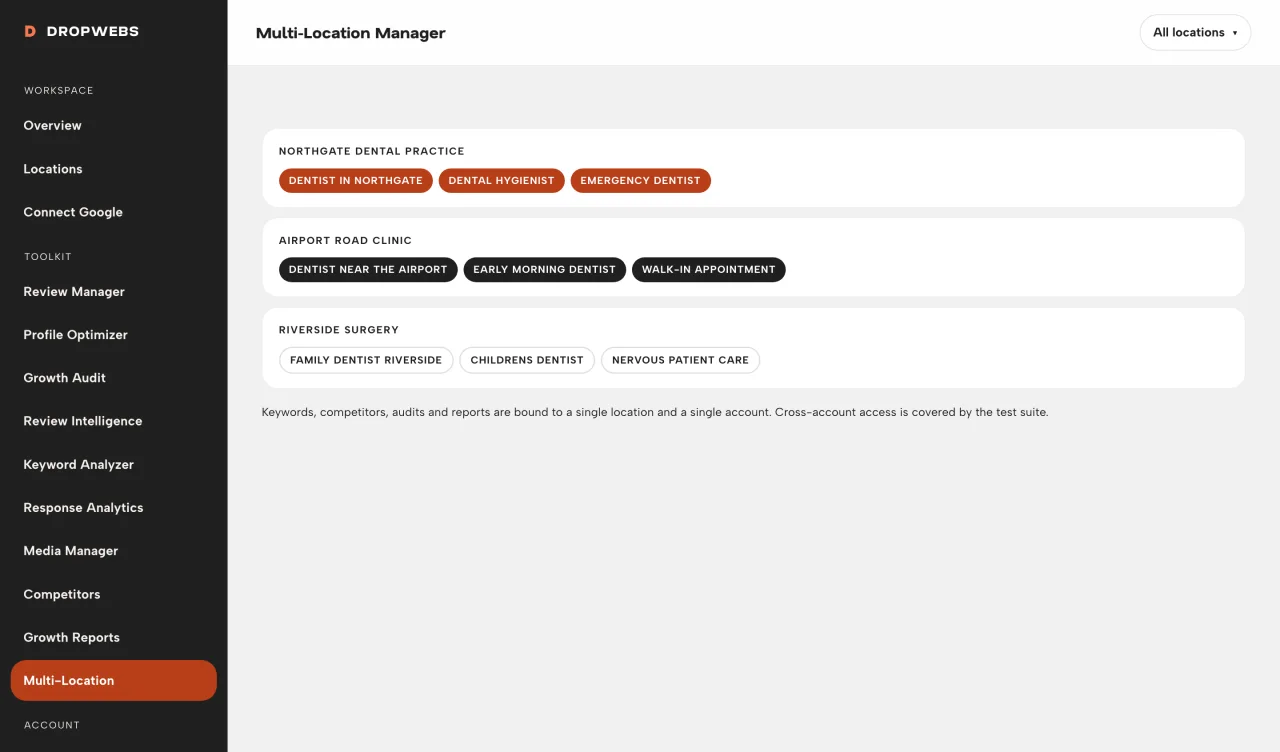
Isolation
Reviews, keywords, competitors, audits and reports stay bound to the location they belong to, and to the account that owns it. There is no bleed between branches and no bleed between customers. It is enforced in the data layer and covered by the test suite.
Connect Google and import locations.
Select which locations to manage.
Compare metrics in Multi-Location Manager.
Open a location into Review Manager or Optimizer.
Every location visible without switching accounts.
Weighted properly, so the group figure is true.
Sort by unanswered and start where it hurts.
Client data stays isolated per account and per location.
Use Locations → select to choose branches within plan limits.
Sort attention by unanswered reviews or low response rate.
Open the weakest location’s tools.
Each location keeps its own keywords and settings.
Only locations your connected Google account manages will appear.
Plan limits cap how many locations can be active at once. Expired paid plans fall back to Free limits and your data is retained.
Group figures cover synced locations. A location that has never been synced contributes nothing.
What it does, what it will not do, and where the data comes from.
Keywords are location-specific by design.
Your plan caps how many locations you can select. Upgrade or deselect extras in Locations.
That depends on your plan. Free covers a single location, Pro covers a small group, and Agency is built for larger portfolios. Current limits are on the pricing page and enforced in the app.
No. Isolation is enforced at the data layer, every query is scoped to the owning account, and the test suite includes explicit cross-account access checks that must pass before release.
Free plan, no card. Connect Google and this tool has real data to work with in about a minute.
Workspace steps and real screens. This is a how-to, not a second overview of the tool.