DROPWEBS
How to use Multi-Location Manager

How to read the multi-location board without mixing accounts

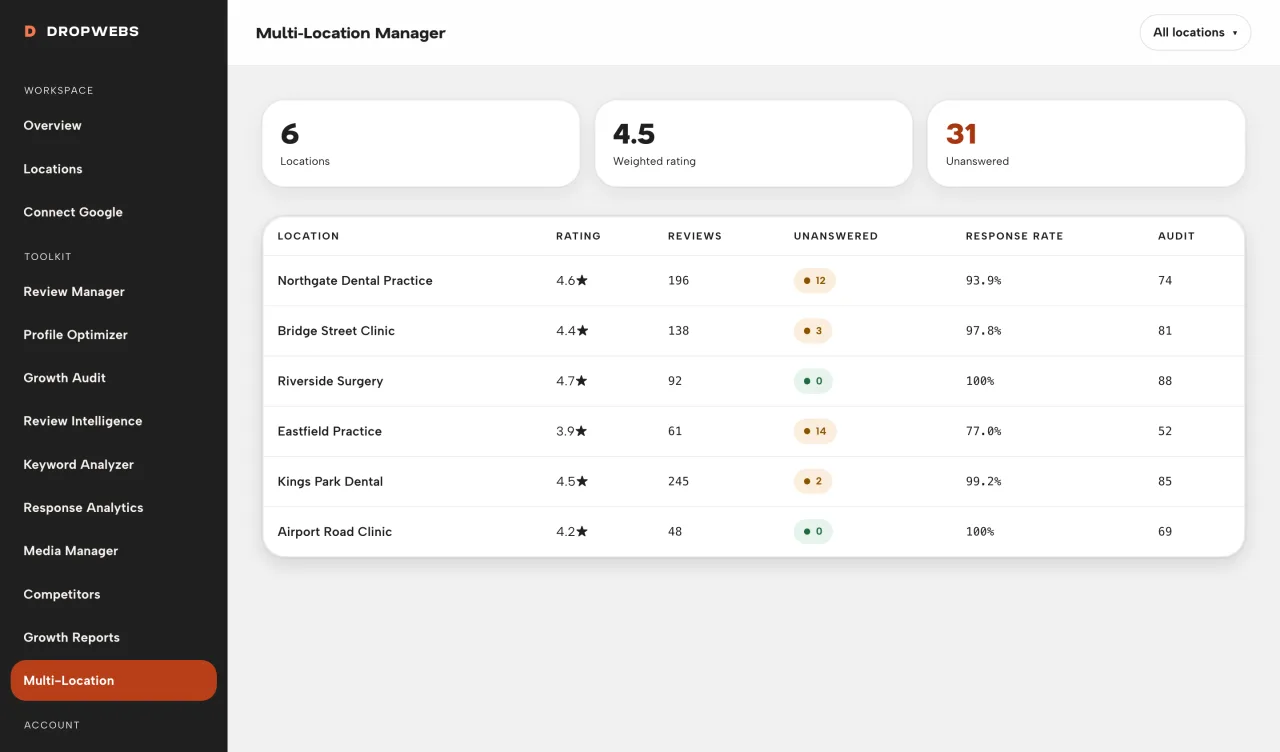
Open the board to see locations you own. Totals are review-weighted. Another user’s locations never appear here.

Before you start

What you need in the workspace.

  • Connect every location you manage. The board cannot show a profile you have not authorised.
Multi-location board

Step 01

Open Multi-Location Manager

Each row is a location on your account.
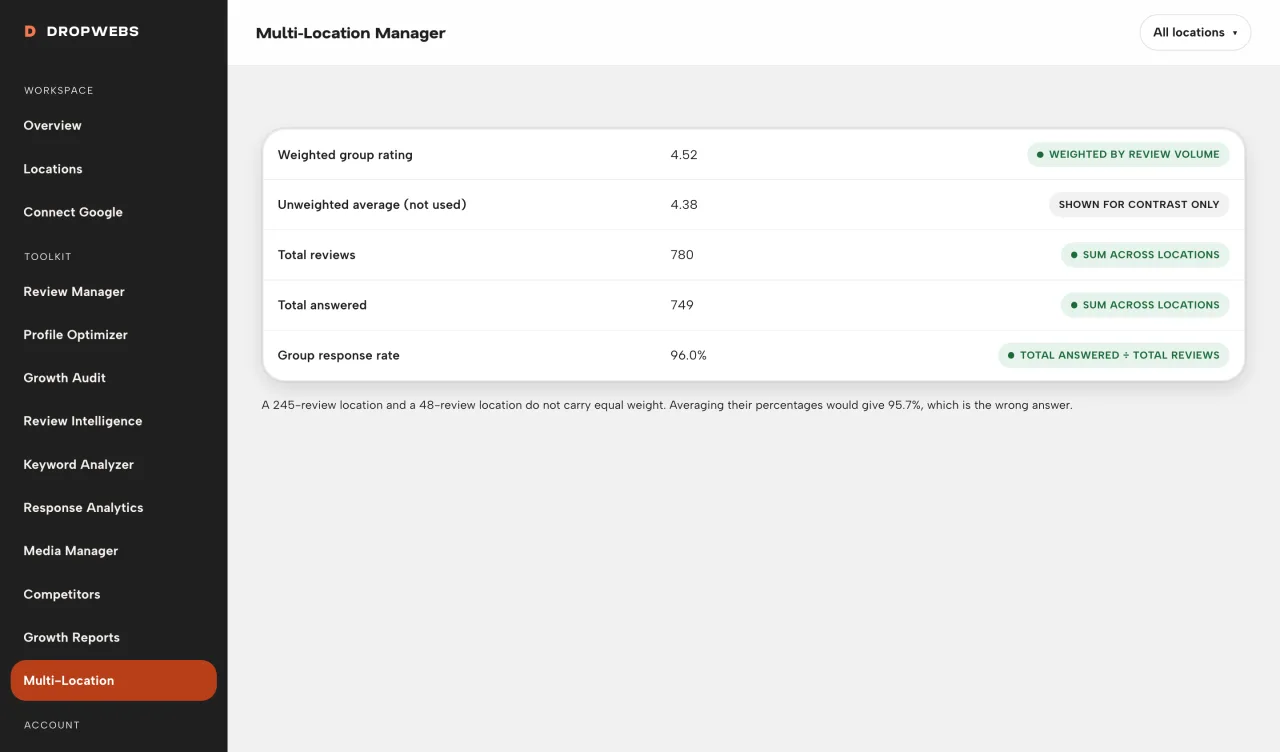
Review-weighted portfolio figures

Step 02

Trust weighted totals, not an average of averages

Portfolio rating weights by review count so a quiet site does not equal a busy one.
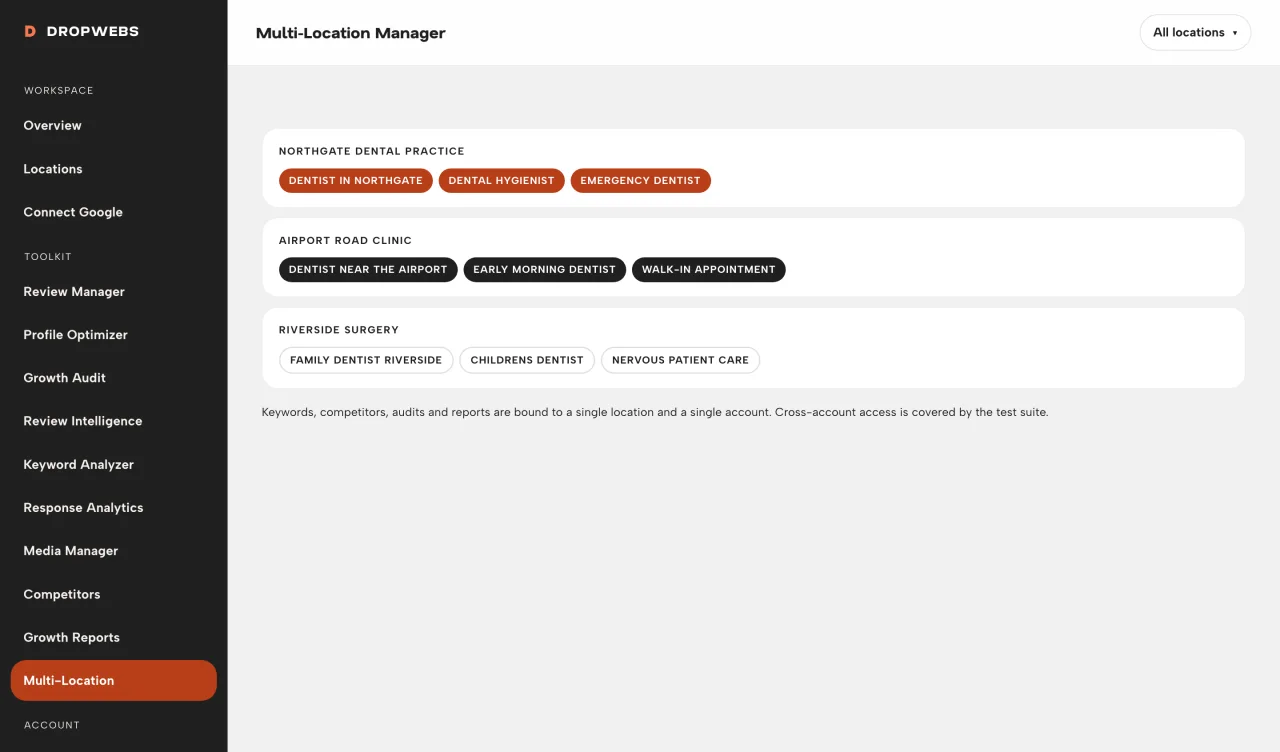
Single-location workspace from the board

Step 03

Open one location to act

Replies, audits, and optimizer work still happen per location. Isolation is by design.

If it does not work

Check these before you assume the tool is broken.

  • Missing rows mean that Google account is not connected, or the location was disconnected.