DROPWEBS
Keyword Analyzer

The words your customers use are not the ones you use.

Keyword Analyzer pulls the language that actually appears in your reviews and lets you set primary, secondary and optional keywords per location, which replies then use only where they genuinely fit.

The problem

Keyword tools push you toward writing badly.

The usual advice is to work your keyword into every reply. Do that and thirty consecutive responses on your profile all contain the phrase "affordable dental clinic in Manchester", which reads exactly as mechanical as it sounds, and the customer reading it decides you are a robot.

Forcing a keyword into a one-star apology is a genuinely bad look.

One keyword list across every branch ignores that branches differ.

The phrases you would pick are rarely the phrases customers actually type.

Nobody can tell you a Business Profile keyword rank, because Google does not expose one.

What Dropwebs does: Keyword Analyzer helps you store and evaluate Primary, Secondary, and Optional keywords for each location, compared with category, services, and review language.

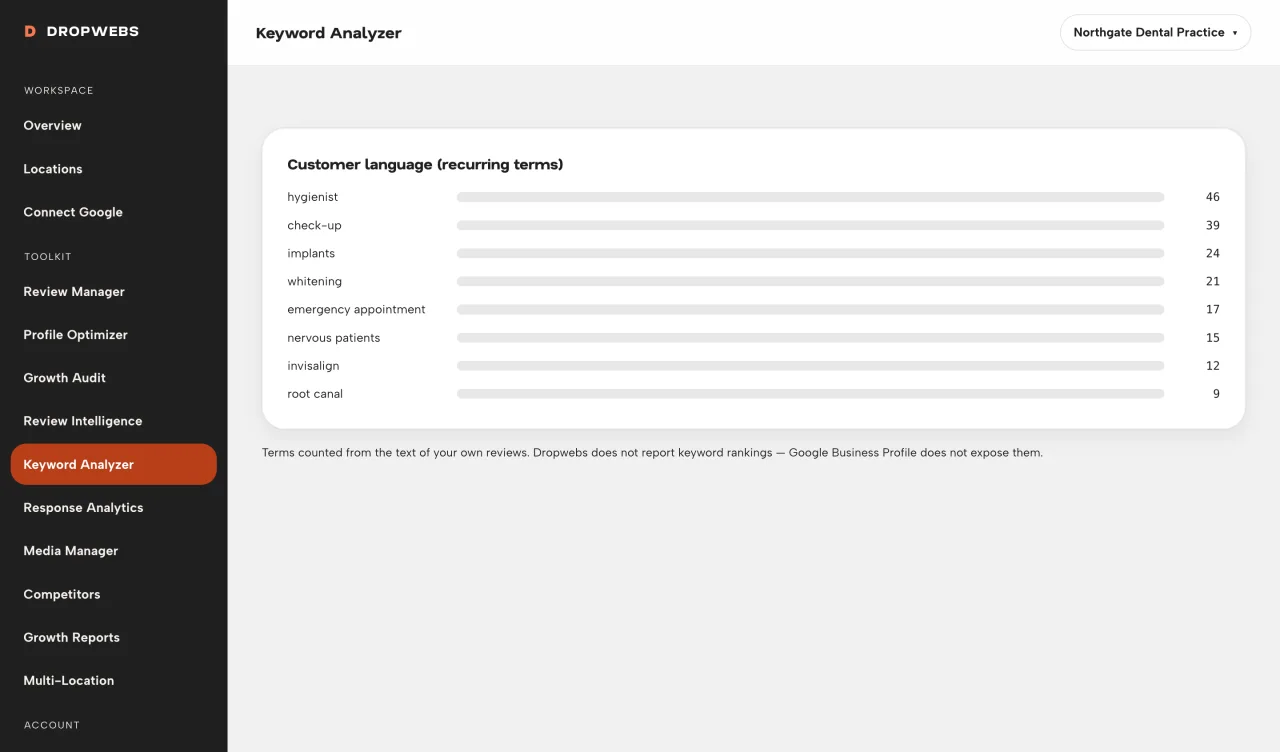
Keyword Analyzer showing recurring customer language extracted from Google reviews

Customer language

The terms that recur in your own reviews.

Dropwebs counts the terms customers actually used when describing your business, so you are working from evidence rather than instinct. Where the review set is too thin to support a conclusion, the tool marks the signal insufficient instead of ranking noise.
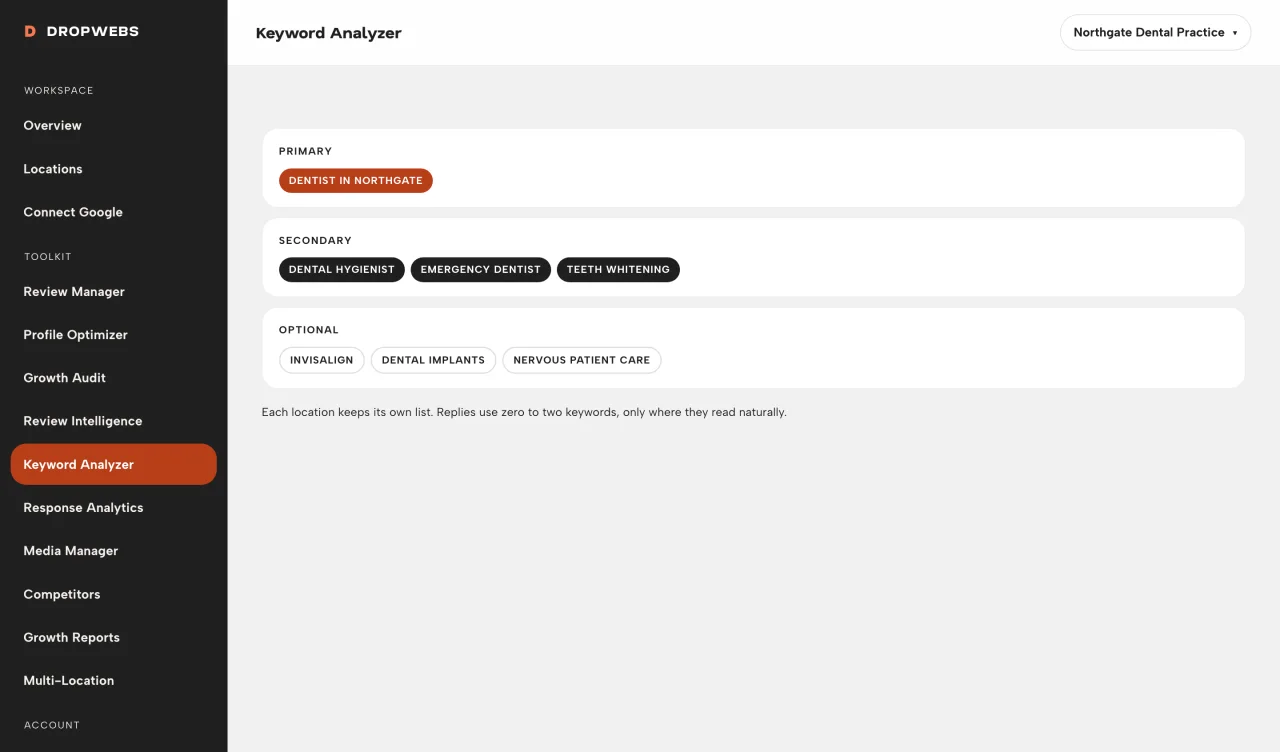
Setting primary, secondary and optional keywords for a single location in Dropwebs

Priority tiers

Primary, secondary, optional, per location.

Add as many keywords as you like and sort them into three tiers. Each location keeps its own list, so the airport branch and the high-street branch are not forced to share a vocabulary they do not share in real life.

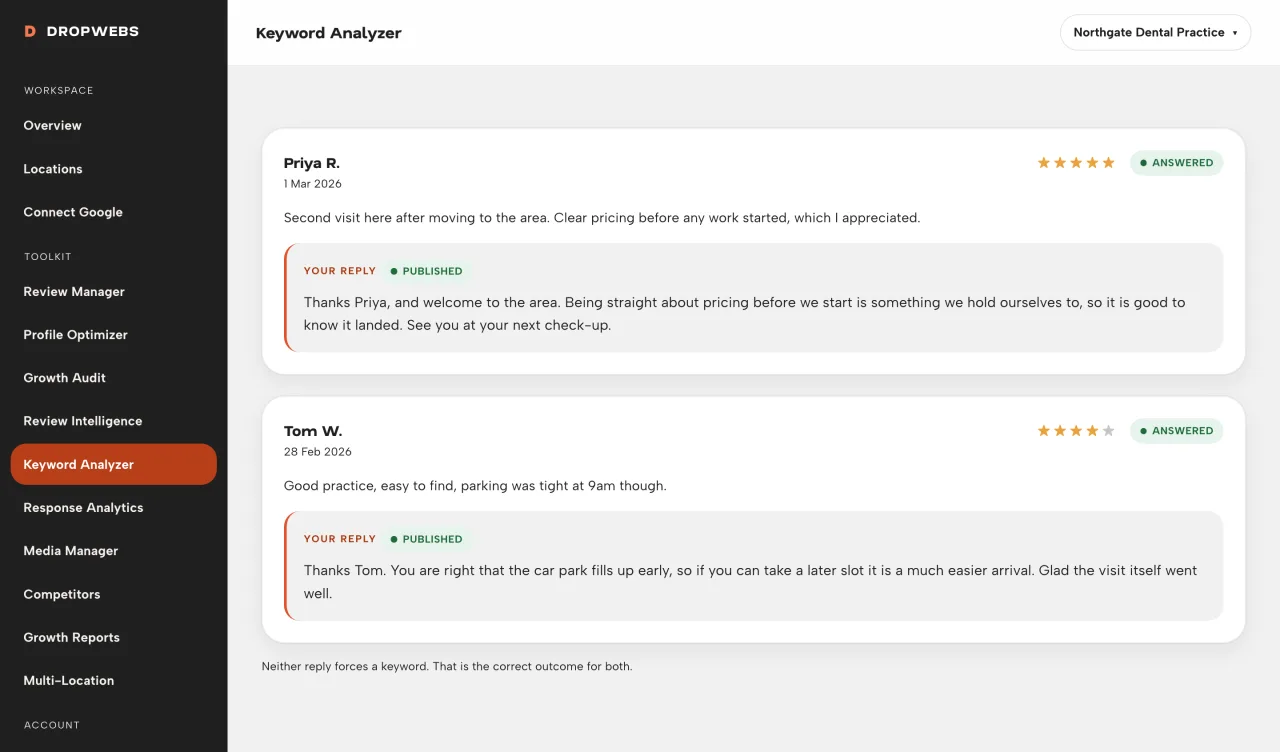
A Dropwebs review reply using a location keyword naturally within the sentence

Restraint

Used when they fit. Skipped when they do not.

Keywords are passed to the reply engine as hints, not instructions. A reply uses at most two, in the language of the review, and only where they read naturally. Most replies use none, which is the correct number for most replies.

How it works

From connection to result.

01

Step 1

Open a location and add keywords with priority.

02

Step 2

Review relevance against your reviews and profile.

03

Step 3

Save keywords in Settings for that location.

04

Step 4

When generating replies, AI may use 0 - 2 keywords only when natural.

What it gives back

Relevance without the robot voice.

Evidence over instinct

Start from the words customers already used about you.

Location-accurate

Different branches, different lists, no cross-contamination.

Natural output

The reply engine skips a keyword rather than force it.

Honest about limits

No invented keyword rank, ever.

How to use it

Your first run, step by step.

01

Step 1

Add a clear Primary phrase (for example, your main service + city).

02

Step 2

Add Secondary phrases customers actually say in reviews.

03

Step 3

Keep Optional phrases light - they may rarely appear in replies.

04

Step 4

Never expect every reply to contain a keyword. Natural writing comes first.

Limitations

What this tool cannot do.

Dropwebs does not report keyword rankings. Google Business Profile APIs do not expose per-keyword rank, so no such number is shown.

Customer language is drawn from your review text. A location with few written reviews will show few terms.

Keywords influence reply wording. They are not a ranking mechanism and are not presented as one.

Questions

Straight answers about keyword analyzer.

What it does, what it will not do, and where the data comes from.

Do you show my Maps ranking?

No. Ranking position is not available from the Google Business Profile API.

Will AI stuff keywords?

No. The reply engine is instructed to use at most 0 - 2 keywords only when they fit naturally.

Can I see where I rank for a keyword?

Not here, and not honestly anywhere in this API. Google Business Profile does not expose per-keyword ranking data, so Dropwebs shows customer language and reply usage rather than a rank number it would have to invent.

Will every reply contain my primary keyword?

No, deliberately. A reply uses zero to two keywords and only where they read naturally in the review's own language. Forcing the phrase into every response is what makes replies sound automated.

Get started

Try Keyword Analyzer on your own profile.

Free plan, no card. Connect Google and this tool has real data to work with in about a minute.

How to use it

Operator guide for Keyword Analyzer.

Workspace steps and real screens. This is a how-to, not a second overview of the tool.

Open the guide