 DROPWEBS
 DROPWEBS
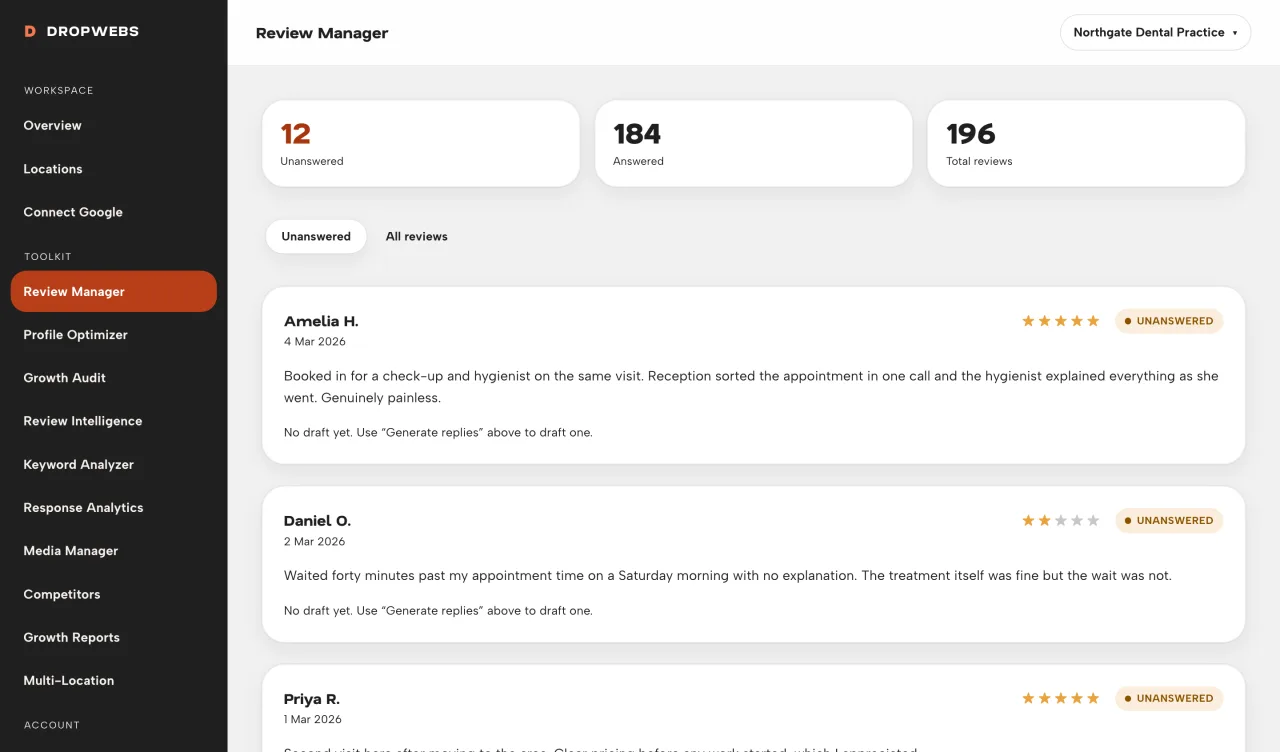
Step 01
Open Review Manager for one location
From the dashboard pick the location, then Reviews. The queue only shows reviews stored for that profile.
A workspace walkthrough: connect a location, pull Google reviews, generate a draft, edit it, then publish through the official API.
Step 01
From the dashboard pick the location, then Reviews. The queue only shows reviews stored for that profile.
Step 02
Use Sync reviews. Dropwebs loads what Google returns. Empty comments and already-replied reviews stay in the list with their real status.
Step 03
Switch to unanswered so you do not regenerate replies that already exist on Google.
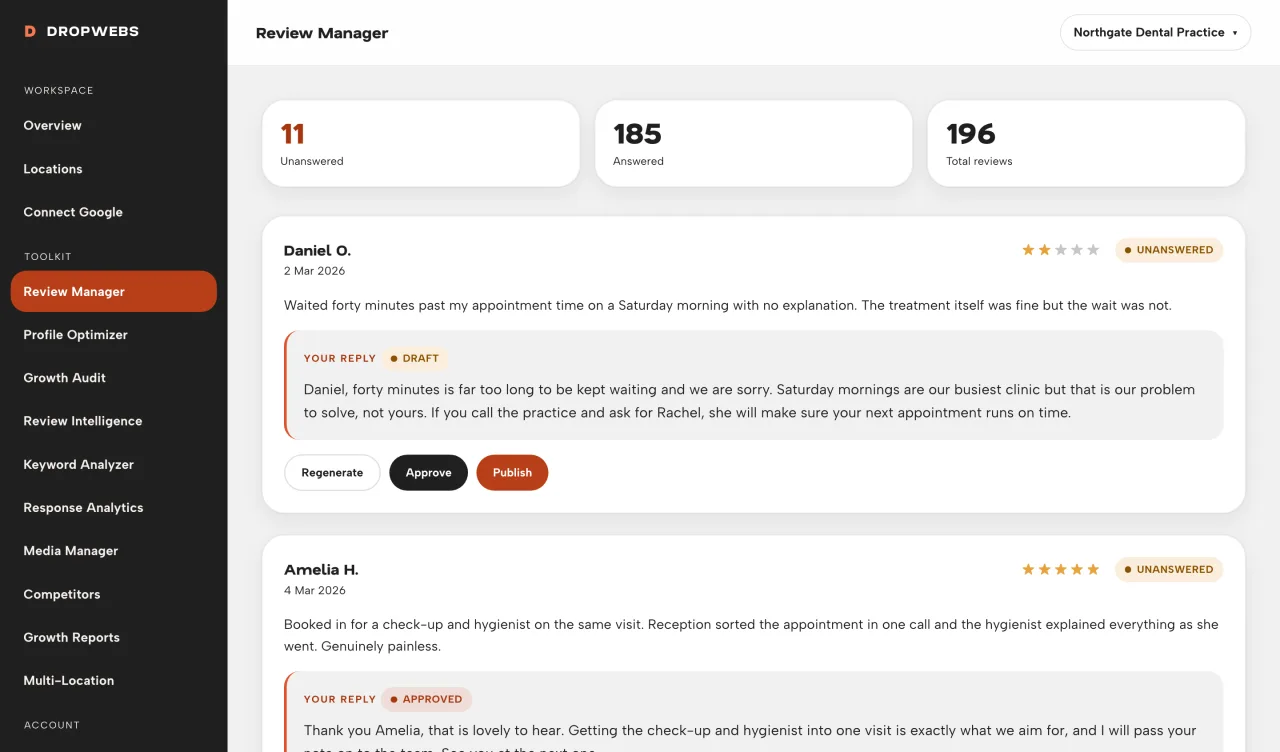
Step 04
Start with 1 or 5, not 15. Read each draft. Change facts, names, and tone before you approve.
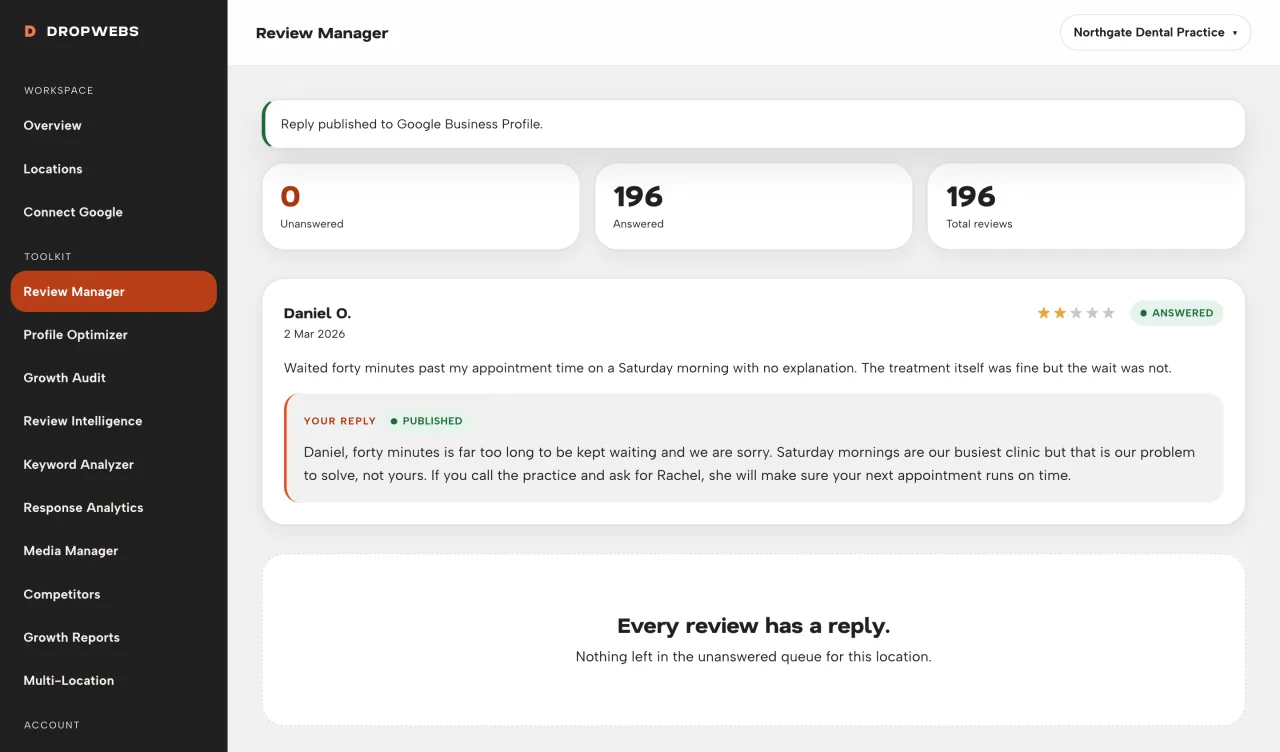
Step 05
Approve, then Publish. A second publish on the same review is blocked. If Google rejects the call, the status stays unpublished.