 DROPWEBS
 DROPWEBS
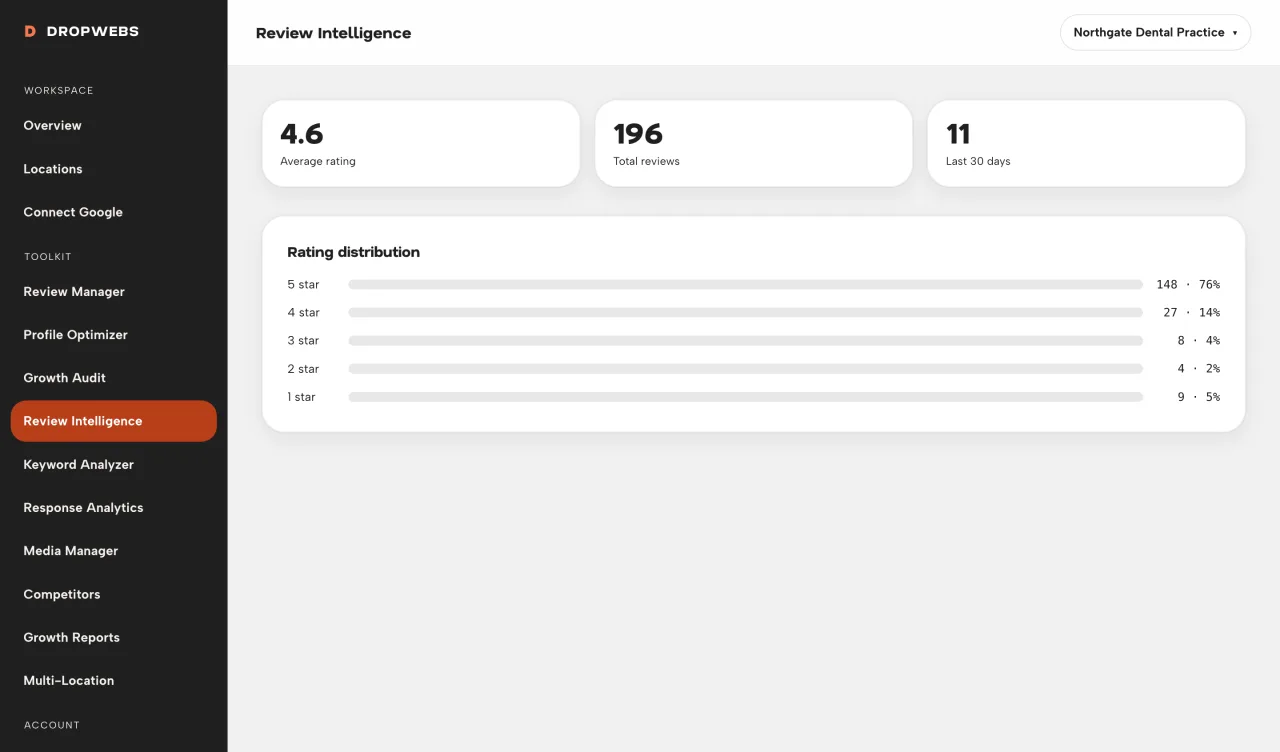
Step 01
Sync, then open Intelligence
Totals and rating mix are calculated in code from stored reviews.
Sync reviews, open Intelligence, and verify every theme against source comments. Counts are calculated. Themes only appear when there is enough text.
Step 01
Totals and rating mix are calculated in code from stored reviews.
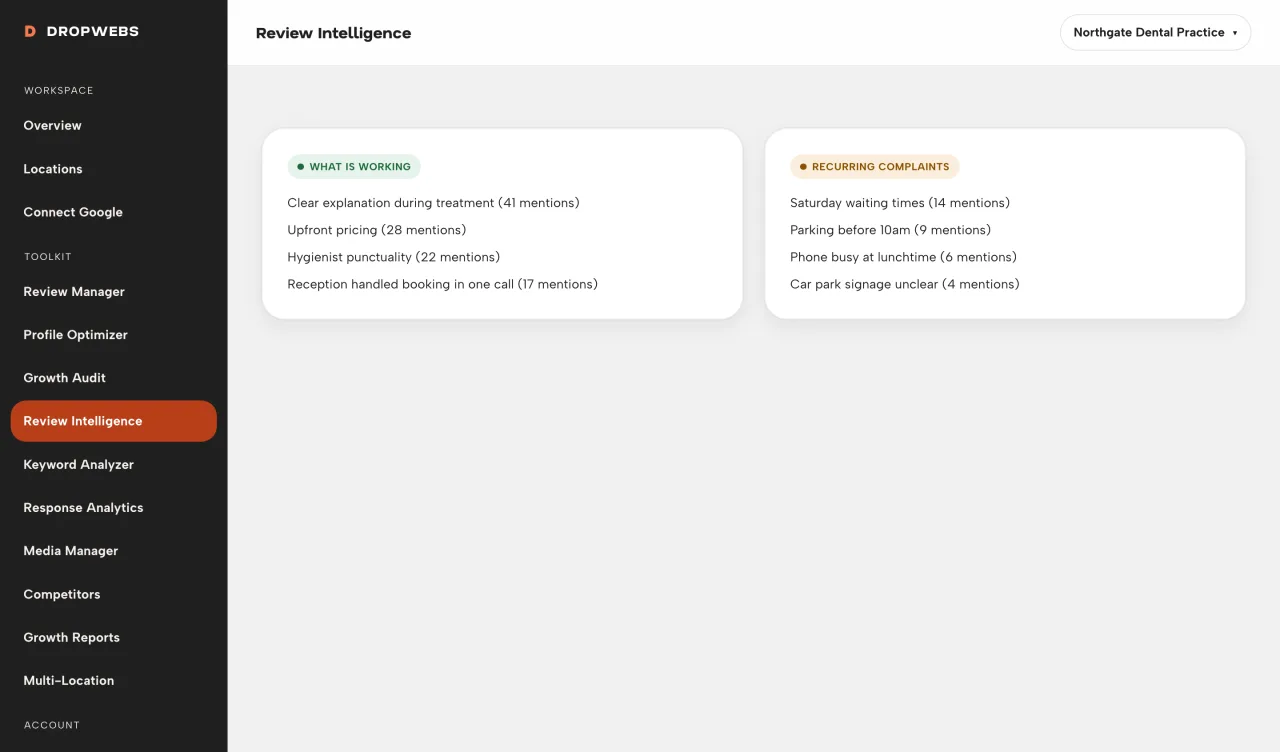
Step 02
Language labels describe the text you stored. They are not a Google ranking factor.
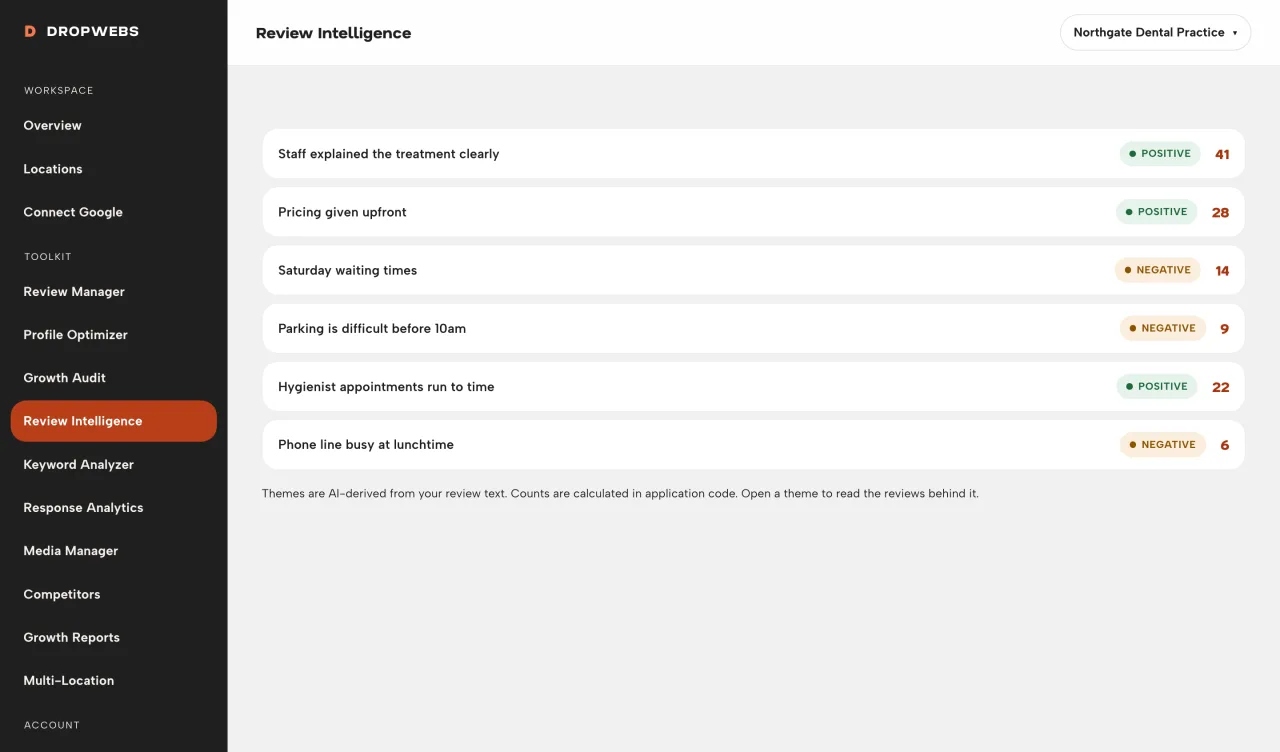
Step 03
If a theme appears, click through to the reviews that support it. If you cannot find those comments, ignore the theme.
Step 04
Unanswered items still need replies. Intelligence does not publish for you.