 DROPWEBS
 DROPWEBS
Step 01
Open Profile Optimizer
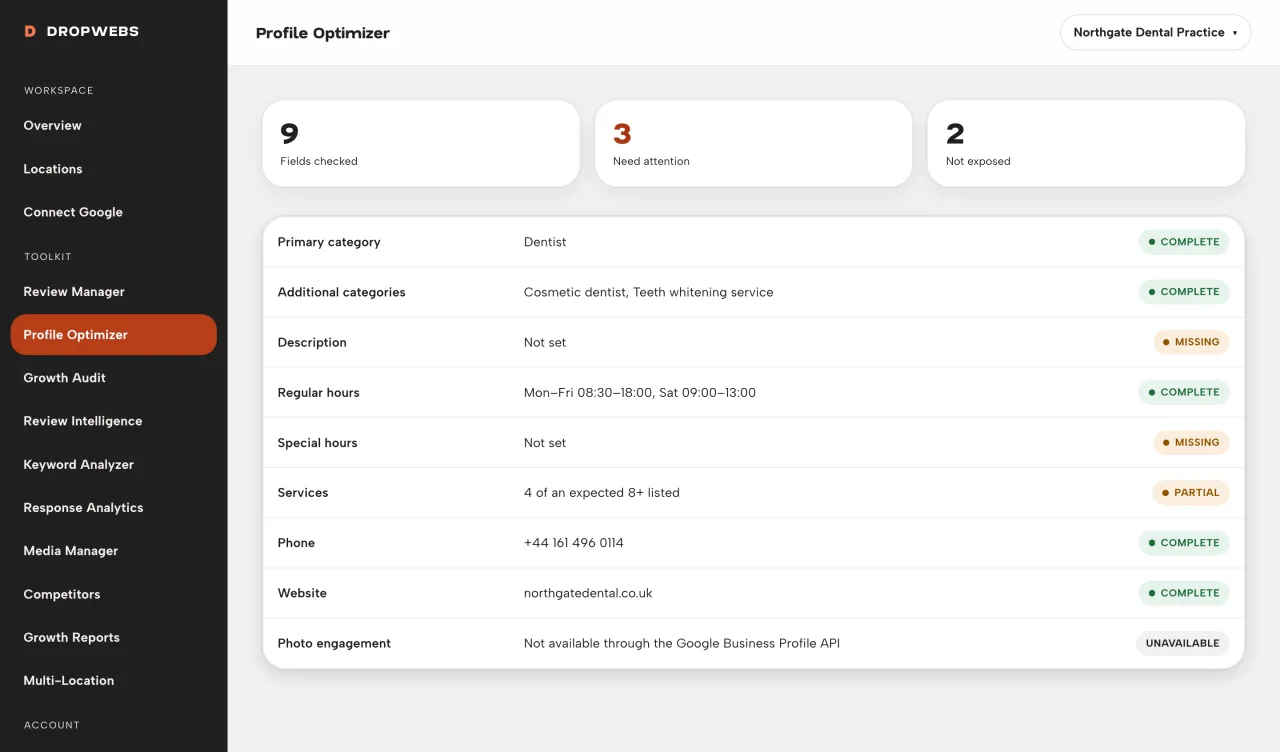
Choose the location, then Profile. The page lists API-supported fields only.
Open Optimizer on a connected location, read each field’s current value and status, then fix gaps in Google Business Profile and sync again.
Step 01
Choose the location, then Profile. The page lists API-supported fields only.
Step 02
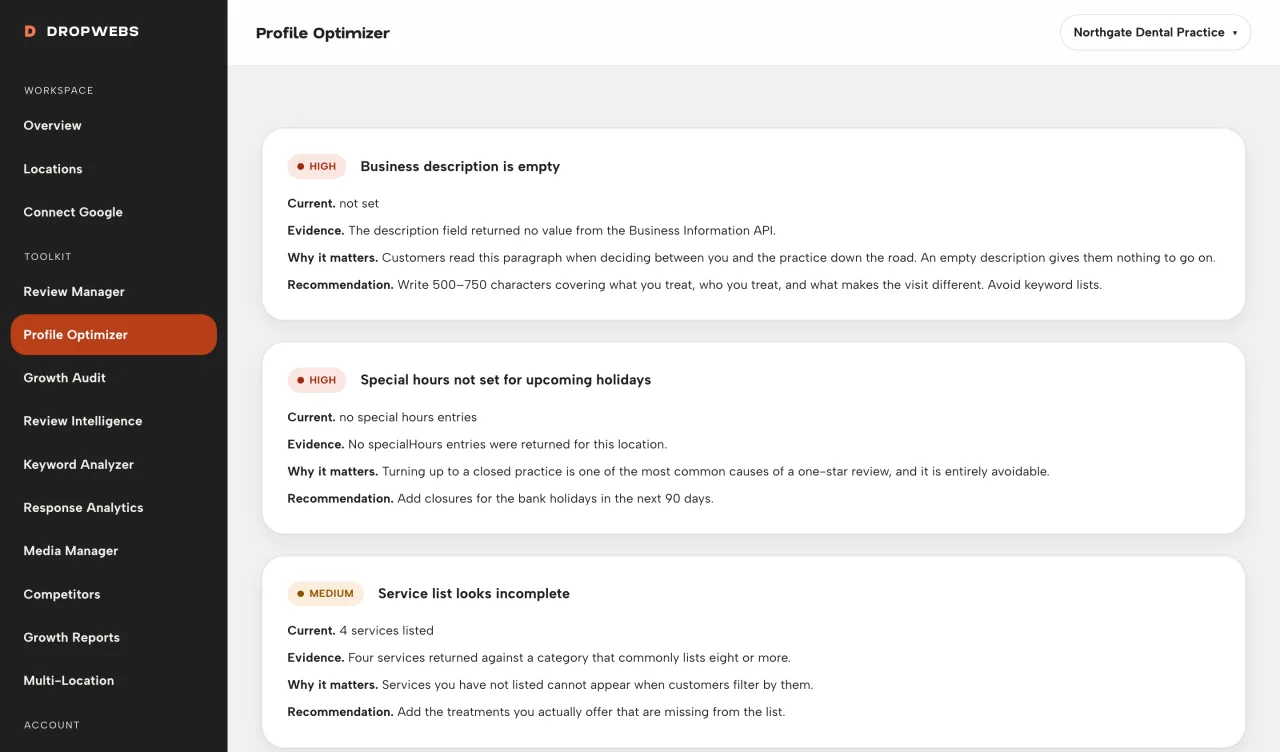
Current is what Dropwebs stored from Google. Issue explains a gap. Evidence is the stored value or a missing-field note.
Step 03
Where Google does not allow the API to write a field, change it in Google Business Profile, then sync the location again.
Step 04
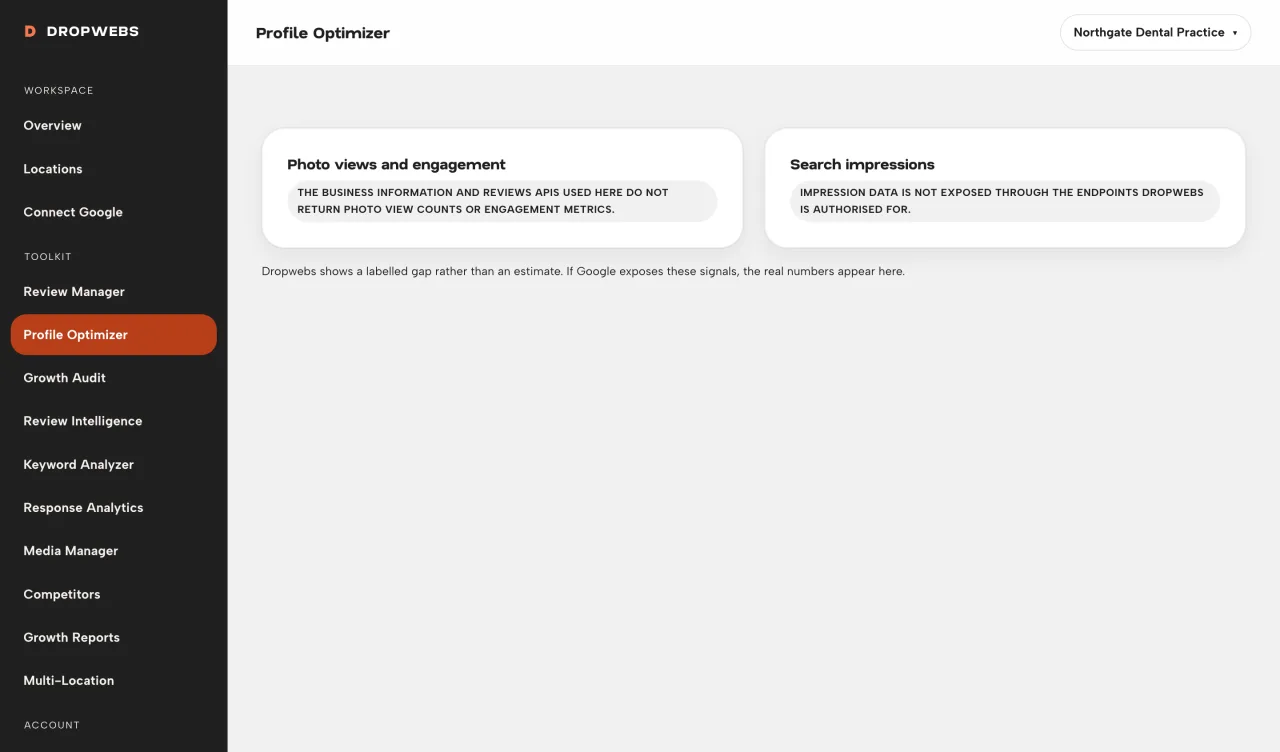
If a row is unavailable, Google did not expose it. Do not wait for Dropwebs to invent a value.