 DROPWEBS
 DROPWEBS
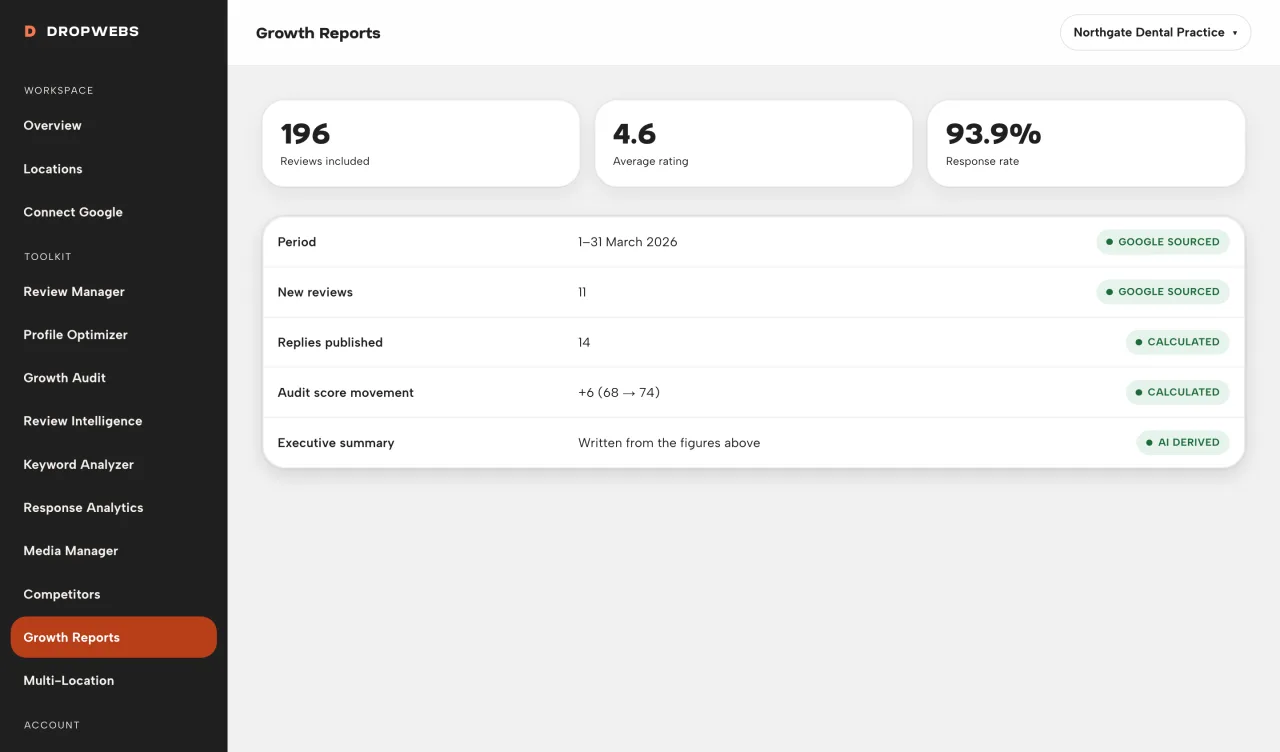
Step 01
Open Growth Reports and choose the location
Reports are scoped to that profile only.
Build a report for one location after you have synced data. The summary only describes snapshots Dropwebs actually stored.
Step 01
Reports are scoped to that profile only.
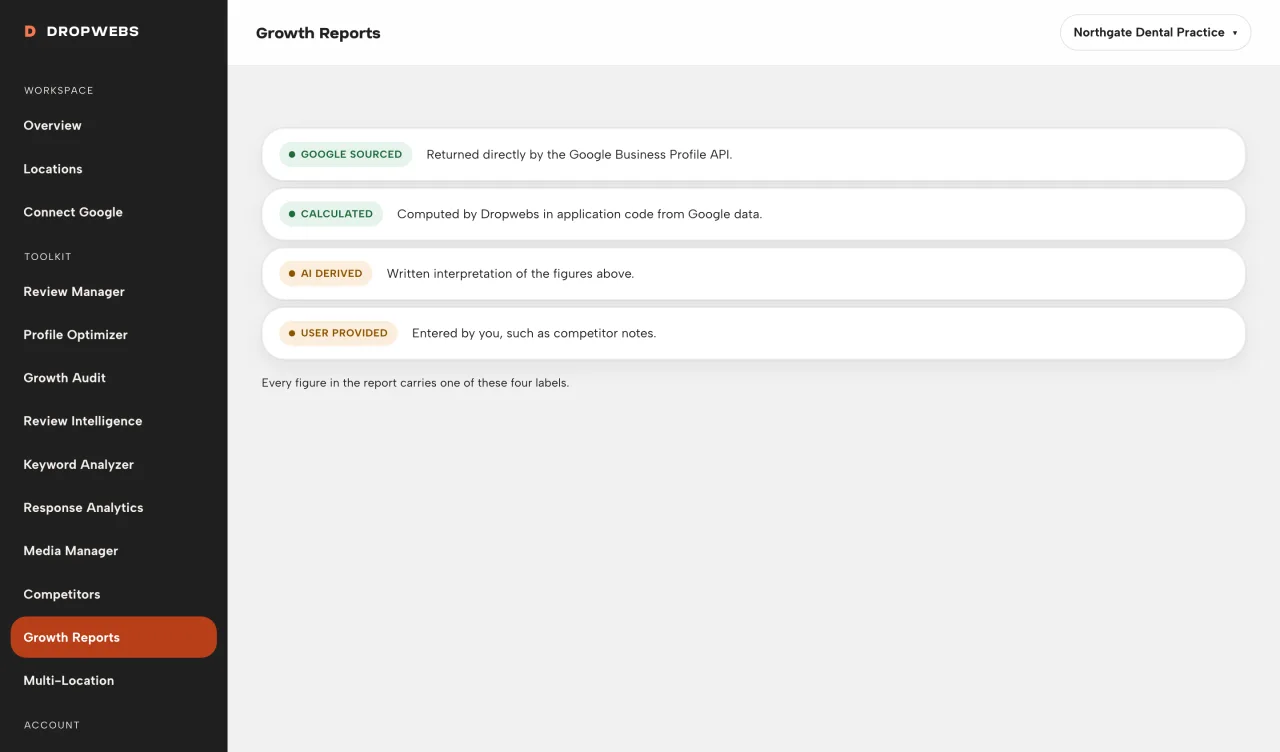
Step 02
Every claim should match a stored snapshot. If a period has no data, the report says so.
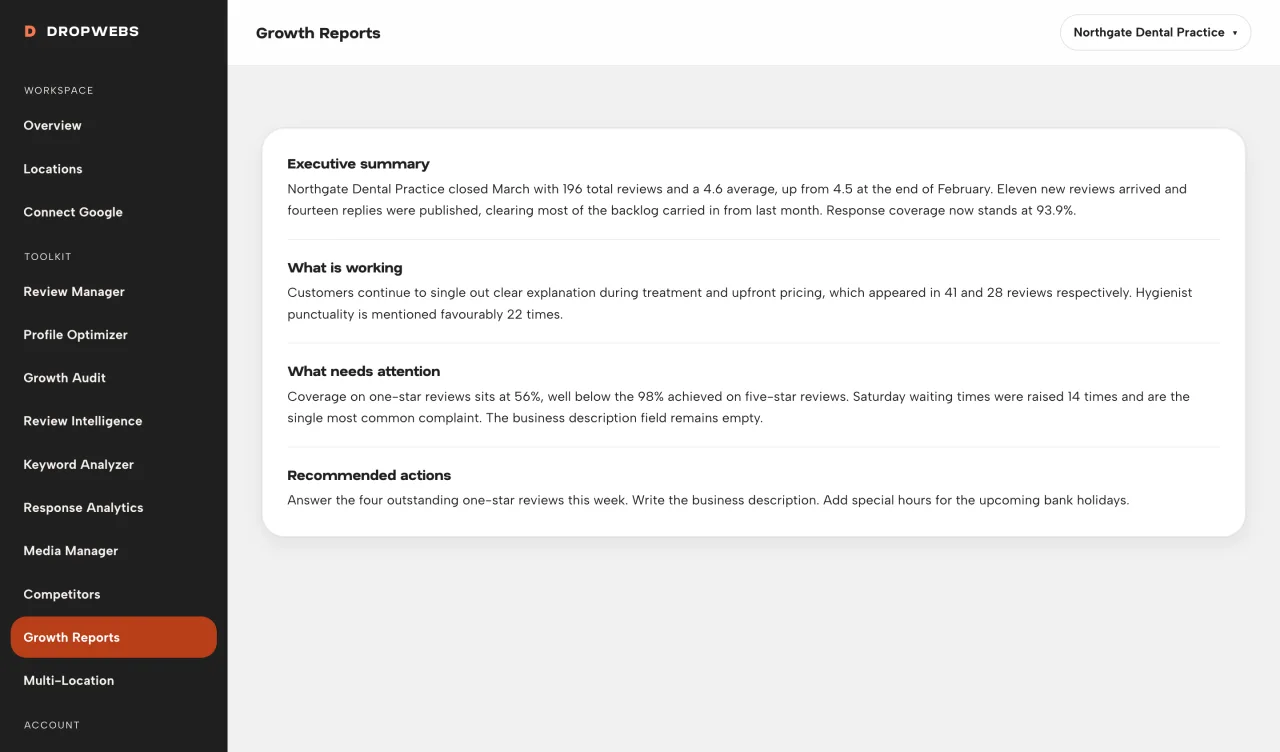
Step 03
Recommended actions point back to Review Manager, Optimizer, or Audit.