 DROPWEBS
 DROPWEBS
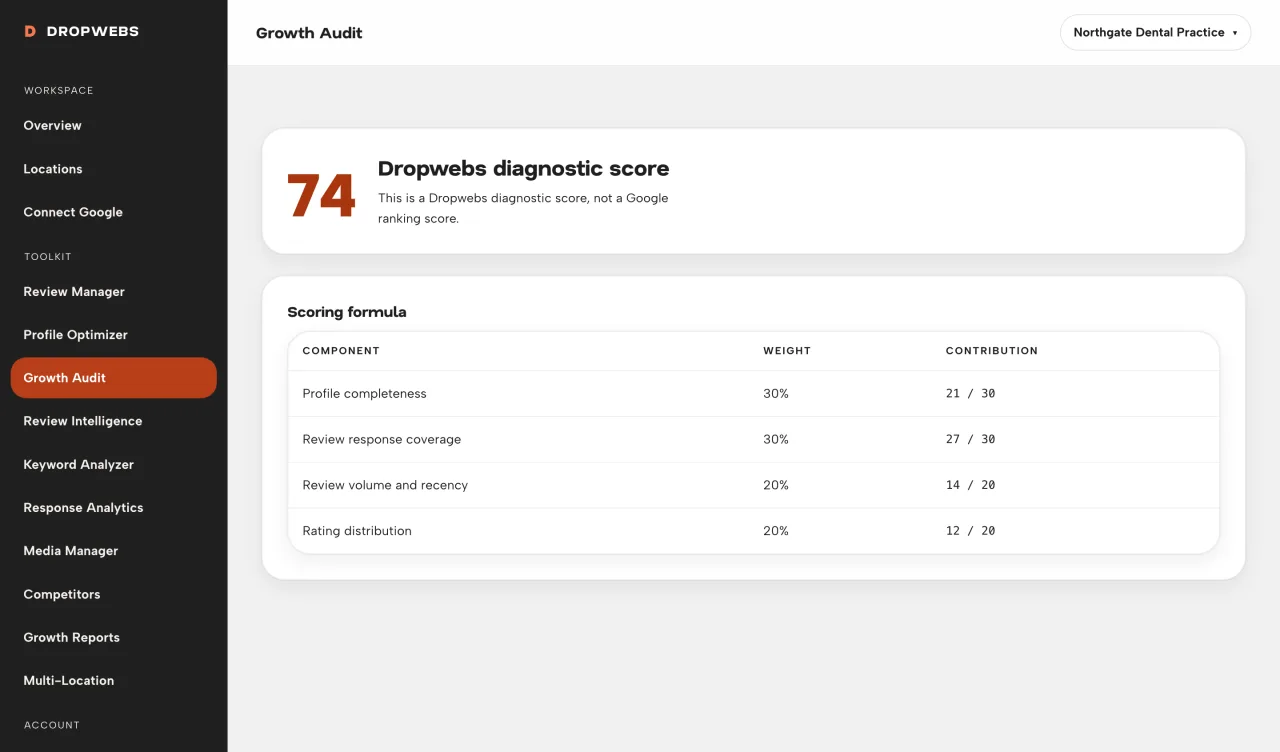
Step 01
Run the audit
Open the location, then Audit. Wait until the run finishes. The score is calculated from stored data.
Run the audit on one location, read PASS / NEEDS ATTENTION / NOT AVAILABLE with evidence, then fix high-priority items. The score is a Dropwebs diagnostic, not a Google rank.
Step 01
Open the location, then Audit. Wait until the run finishes. The score is calculated from stored data.
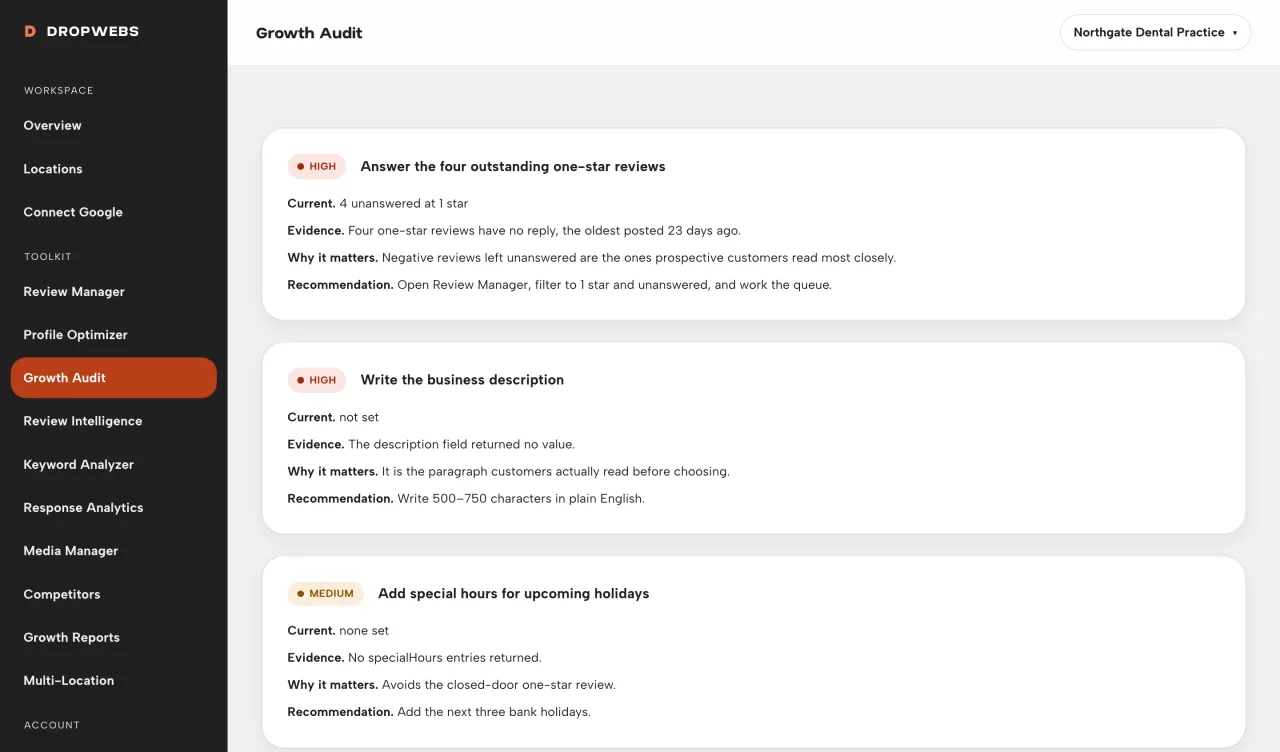
Step 02
Open NEEDS ATTENTION items marked high first. Each row has why it fired and what to do next.
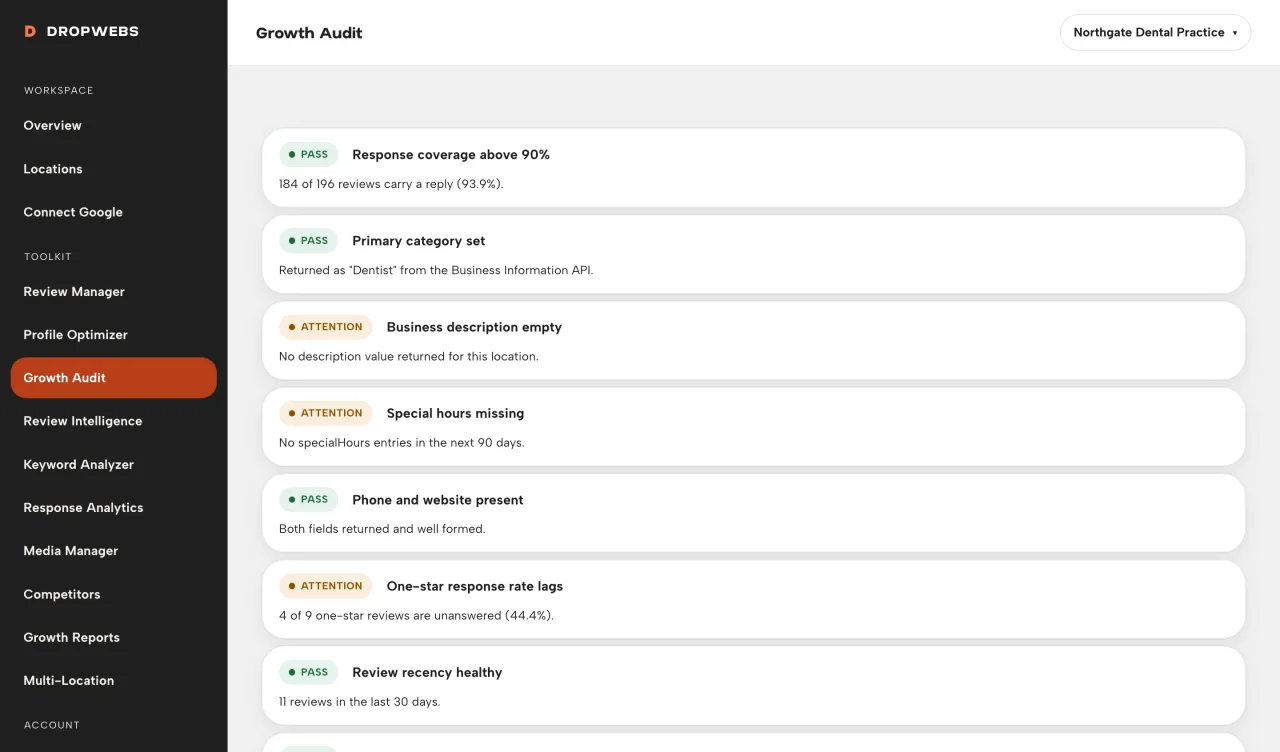
Step 03
If a check is NOT AVAILABLE, Google did not supply the input. Leave it. Do not treat it as a fail.
Step 04
Profile gaps go to Google or Optimizer. Unanswered reviews go to Review Manager. Re-run the audit after those changes land in Dropwebs.